Maintaining a vibrant office landscape requires more than just occasional watering. To ensure your plants remain healthy, you need a reliable method to monitor their progress and identify potential issues before they become irreversible. By implementing a structured approach to tracking, you gain the ability to distinguish between normal seasonal dormancy and genuine signs of stress caused by poor lighting or HVAC fluctuations.
This proactive strategy allows you to optimize care routines, justify resource allocation for greenery, and maintain a professional aesthetic in your workspace. When you follow these steps, you will achieve a consistent, thriving indoor environment where your plants look as healthy on a Friday afternoon as they do on a Monday morning.
When you consistently document the state of your office plants, you move away from reactive troubleshooting and toward a sustainable maintenance cycle. This process helps you understand how specific microclimates within your office, such as near a drafty window or under intense LED lighting, impact individual species. Ultimately, you will be able to make informed decisions about plant placement, rotation, and care adjustments that keep your office environment consistently welcoming and productive.
The Short Version
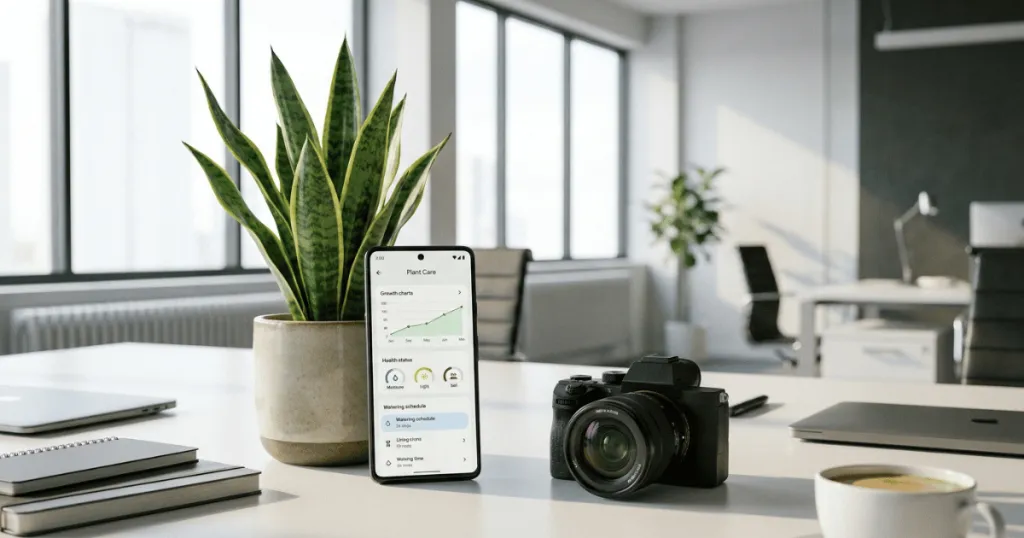
The most effective way to track plant health is to maintain a simple, centralized log that records watering dates, visual observations, and environmental changes. By pairing this record with a monthly photo series, you create a clear baseline that makes identifying subtle declines or growth patterns easy and objective. How to track office plant growth and health over time is a fundamental skill for any office manager looking to maintain a professional, thriving indoor landscape.
Before You Start
Before you implement a tracking system, you must establish a baseline for your current plant collection. Many office managers fail because they attempt to track too many variables at once. Start by identifying the specific plants that are most critical to your office aesthetic, such as those in reception areas or executive meeting rooms. These high-visibility plants should be your priority for data collection.
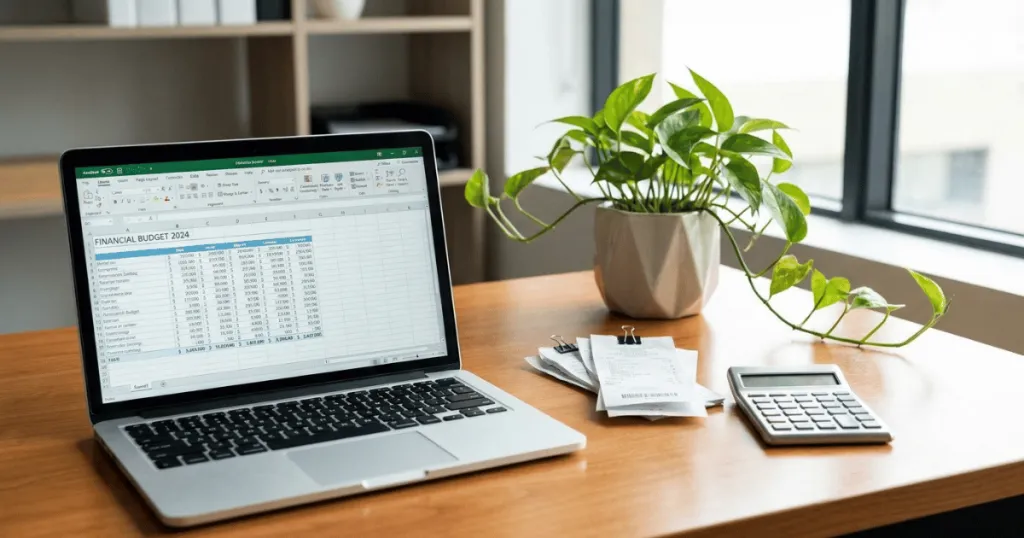
Gather your materials in a single, accessible location. You do not need complex software. A simple digital spreadsheet, a shared office document, or even a physical binder kept near the plant maintenance station works perfectly. The key is accessibility; if the tool is difficult to reach, your team will stop using it. Ensure that whoever is responsible for plant care has clear instructions on what to record. Consistency is more important than depth of detail. A short note about a yellowing leaf is more valuable than a blank space in a complex data field.
Assess your office environment for major variables that will influence your tracking. Note the proximity of HVAC vents, which cause rapid moisture loss, and the type of artificial lighting available. If your office uses automated lighting schedules, record those hours. These environmental factors are the most frequent causes of plant stress in professional settings. Knowing that a plant sits directly under a vent helps you interpret why it might show signs of dehydration even when your watering schedule seems correct.
Tools and Prerequisites for Monitoring
To track office plant growth and health over time effectively, you need a few basic tools that provide objective data. Avoid relying solely on memory or visual inspection, as these are prone to bias and oversight. A moisture meter is an essential tool for office environments where soil drainage can be inconsistent due to decorative pots without proper drainage holes. This device provides a numerical value for soil moisture, removing the guesswork from your watering schedule.
A smartphone camera is your most powerful tool for tracking growth. By taking a photo from the same angle and distance once a month, you create a visual timeline that reveals slow changes, such as leaf drop or leaning, which you might miss during daily interactions. Consider using a simple labeling system for your plants if you have a large collection. A small, discreet tag with a number or name allows you to link specific care notes to individual plants in your tracking document.
Finally, ensure you have a standard checklist for what constitutes a healthy plant for each species you maintain. For example, knowing that a Snake Plant should have firm, upright leaves helps you immediately spot the softening that indicates overwatering. Having these benchmarks in your tracking document allows anyone on your team to perform a health check, not just the primary caretaker.
The Psychology of Consistent Data Collection
Data collection in an office setting often fails because it feels like an administrative burden rather than a plant care tool. To overcome this, integrate your tracking into existing office workflows. If your team already has a weekly facility walkthrough, add the plant check to that checklist. By framing the tracking as a component of office maintenance rather than a separate gardening task, you increase the likelihood of long-term compliance. The goal is to capture enough data to make informed decisions without turning the office manager into a botanist.
Consider the trade-offs of different tracking formats. A digital spreadsheet allows for easy sorting and filtering, which is helpful if you have more than twenty plants. However, a physical logbook kept near the plants themselves can be more immediate for staff who are already in the space. Choose the format that requires the least friction for your specific team. If you choose a digital file, ensure it is stored in a shared folder accessible to all relevant staff, preventing data silos when a team member is out of the office.
Deep Dive: Analyzing Environmental Variables
Tracking is only useful if you can interpret the data. In an office, environmental variables are rarely static. HVAC systems often cycle based on occupancy, meaning humidity levels might drop significantly during the day and rise at night. When you record your moisture meter readings, try to note the time of day. A reading taken at 9:00 AM after a weekend of low office activity will differ from one taken at 4:00 PM on a busy Tuesday.
Artificial lighting is another critical variable. While most offices use LED or fluorescent lighting, the intensity varies wildly depending on the distance from the fixture. If you notice a plant is not growing despite adequate water, check your log for its proximity to light sources. If the plant is in a dark corner, you may need to supplement with a grow light or rotate it to a brighter location. Tracking these movements in your log allows you to see if a plant’s health improves after a change in location, providing a feedback loop that refines your care protocols over time.
Step-by-Step Tracking Instructions
- Create a Centralized Log: Set up a shared digital file that includes columns for the plant name, location, date of last water, moisture meter reading, and a general health rating from one to five.
- Establish a Monthly Photo Baseline: On the first Monday of every month, take a photo of each plant from a fixed position. Store these in a folder organized by date. This visual history is invaluable for identifying long-term growth trends or gradual decline.
- Perform Weekly Spot Checks: During your regular maintenance rounds, use your moisture meter to check the soil. Record the value in your log. If the value is consistently in the dry or wet zone, adjust your watering frequency accordingly.
- Document Environmental Changes: If the office undergoes changes, such as a new furniture layout or a change in HVAC settings, note these dates in your log. This helps you correlate plant health changes with specific environmental shifts.
- Review Trends Quarterly: Every three months, look at your logs and photos together. Are there plants that consistently require more water? Are some showing signs of light deficiency? Use this data to move plants to better-suited locations within the office.
- Update Care Protocols: Based on your quarterly review, refine your care instructions. If a plant is thriving in a specific corner, replicate those conditions for similar species elsewhere in the office.
Managing Plant Health During Office Closures
One of the biggest challenges in office plant care is the weekend or holiday gap. When the office is empty, HVAC systems often shut down or switch to energy-saving modes, which can drastically alter the microclimate. Your tracking log should include a section for “special notes” regarding these periods. If you know the office will be closed for a week, record the moisture levels of your plants just before the break. Upon your return, check the levels again.
This will give you a clear picture of how much moisture your plants lose during periods of inactivity, allowing you to adjust your pre-holiday watering schedule to prevent dehydration.
Common Mistakes to Avoid
One of the most frequent mistakes is over-complicating the data collection process. If you require staff to fill out ten different fields for every plant, the system will collapse within weeks. Focus on the metrics that actually impact plant survival: moisture levels, light exposure, and visible stress symptoms. Keep the documentation lightweight and fast to complete.
Another common error is ignoring the difference between seasonal growth and health issues. Plants naturally slow their growth during winter months, especially in offices with limited natural light. If you interpret this natural dormancy as a health decline, you might mistakenly increase watering or fertilizer, which can actually harm the plant. Always cross-reference your current observations with the time of year.
Finally, avoid the mistake of treating all plants in the office as a single group. A Fiddle Leaf Fig in a sunny reception area has vastly different needs than a Pothos in a dim hallway. Your tracking system must allow for individual plant records. Treating the entire office as one watering zone leads to root rot in some plants and dehydration in others.
Troubleshooting Your Tracking Data
When your data shows a consistent decline, use the following logic to identify the cause. If your moisture meter consistently shows wet soil but the plant is wilting, the issue is likely root rot caused by poor drainage. The fix is to reduce watering frequency and ensure the plant is not sitting in standing water at the bottom of its decorative pot.
If your photo history shows a plant leaning significantly toward a window or light source, it is suffering from etiolation. This means it is stretching to find more light. The solution is to rotate the plant weekly to ensure even growth or move it closer to an artificial light source. If you see brown, crispy leaf tips, the office air is likely too dry. This is common in climate-controlled spaces. Increasing humidity via a small desktop humidifier or simply grouping plants together can mitigate this stress.
If you notice persistent yellowing leaves, check your log for recent watering dates. Yellowing is often a sign of overwatering. If the soil is dry and the leaves are yellowing, it may be a nutrient deficiency or a sign that the plant has outgrown its current container. When you cannot identify the cause after checking these common factors, it is time to consult a professional plant service to prevent the loss of high-value office greenery.
Scaling Your Tracking System
As your collection grows, your tracking system must scale with it. If you move from five plants to fifty, a single spreadsheet may become unwieldy. At this stage, consider grouping plants by zone – such as “Reception,” “Breakroom,” and “Conference Rooms.” This allows you to manage the office in manageable segments. You might assign different team members to be responsible for different zones, with their own specific logs that roll up into a master document.
This decentralization ensures that no single person is overwhelmed by the task and that every plant receives the attention it needs. Remember, the goal of tracking is to maintain a professional, healthy environment, not to create a complex data management project. Keep it simple, keep it consistent, and keep it focused on the health of the plants.
FAQ
How often should I update my office plant tracking log?
We recommend a weekly update for moisture and health checks, paired with a monthly photo update. This frequency is high enough to catch issues early but low enough to remain sustainable for busy office staff.
Do I need special software to track office plant growth and health over time?
No, specialized software is unnecessary. A shared spreadsheet or a simple document in your existing office suite is sufficient. The most important factor is that the log is easily accessible to everyone involved in plant care.
What should I do if my tracking data shows a plant is consistently struggling?
First, review your log to see if the struggle correlates with specific environmental factors like HVAC vents or low light. If the issue persists after adjusting placement or watering, consider moving the plant to a recovery area or contacting a professional plant maintenance service.
Why is it important to take photos of my office plants?
Photos provide an objective visual history that memory cannot match. They help you notice slow, incremental changes in leaf color, growth rate, or plant posture that indicate long-term stress before it becomes a visible crisis.